
PixyScan launched on Product Hunt on Nov 4 as an SEO and AI-readiness auditor: you give it a URL, it crawls the site, and it ranks what to fix first. The free plan has no time limit, so we pointed it at our own blog and checked every claim against what we know about tribechat.com.
Short version: it is fast and easy, and it found real things worth fixing. It also got 2 of its top 3 issues wrong on our site, so check each finding before you act on it.
What PixyScan is and what the free plan includes
PixyScan scans a site for SEO and AI-search problems, then scores two things: overall site health and how ready the site is for AI crawlers and answer engines. The free plan costs $0 with no time limit and covers 1 site, 500 pages a month, 30 days of history and 181 of its 200+ checks. You can sign up with email and a 6-digit code, or with Google. It did not ask for a card.
Paid plans are Hobby at $19 a month, Basic at $39 and Pro at $129. If you pay yearly they drop to $16, $33 and $108 a month. The pricing page opens on the yearly view, which is why you may see $16 on the plan card and $19 in the FAQ. JavaScript rendering is Pro only, and Search Console data starts on Basic. Exports and branded reports are locked on the free plan.
How we tested it
We signed up with a work email, added tribechat.com and set an include pattern of tribechat.com/blog so the 500 free credits went to blog posts. Everything else stayed on its defaults: respect robots.txt on, sitemap crawl on, rate limit healing off and server HTML rendering.
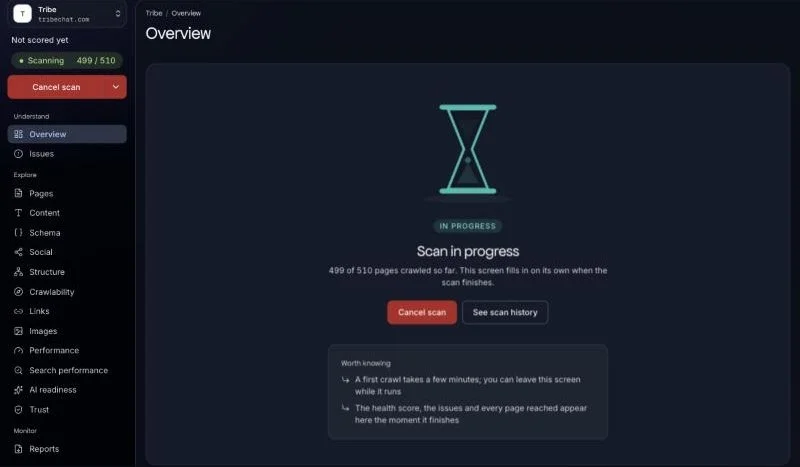
We clicked “Connect and scan now” at 4:53 PM JST. The scan log says 1m 21s, and full results were up about 2 minutes after we started. That is quick for a crawl of a blog with a few hundred posts. The only annoyance was 2 onboarding tour popups that covered the dashboard on first load.
The scores: 88 for health, 47 for AI readiness
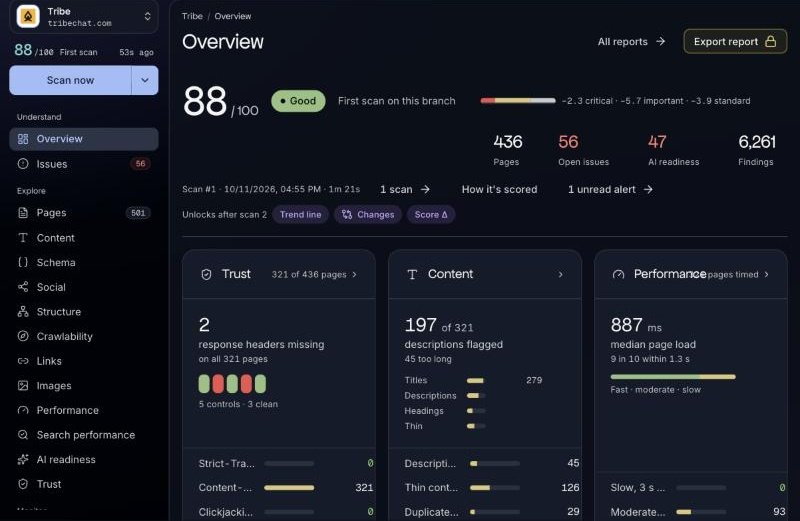
The overview gave tribechat.com a health score of 88 out of 100, labeled “Good”. It crawled 436 pages and reported 56 open issues and 6,261 findings.
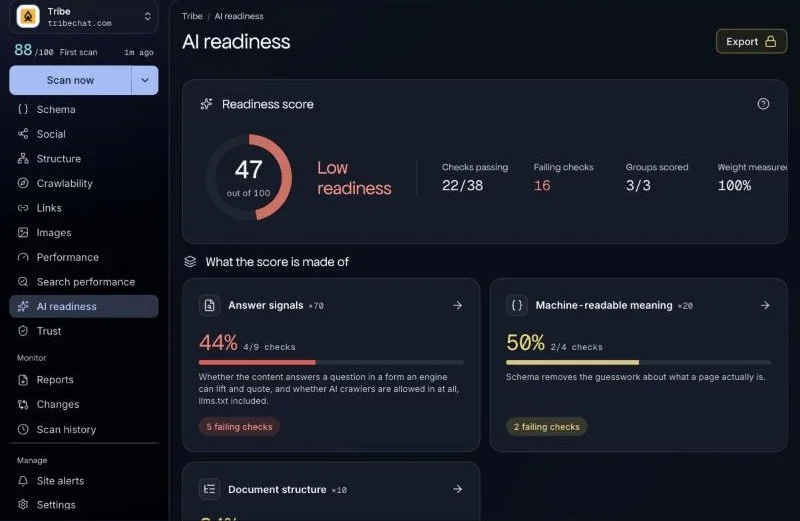
The AI readiness score was lower: 47 out of 100, labeled “Low readiness”, with 22 of 38 checks passing. The biggest drag was “Meta description missing from the server-rendered HTML”, marked Critical on 152 of 436 pages.
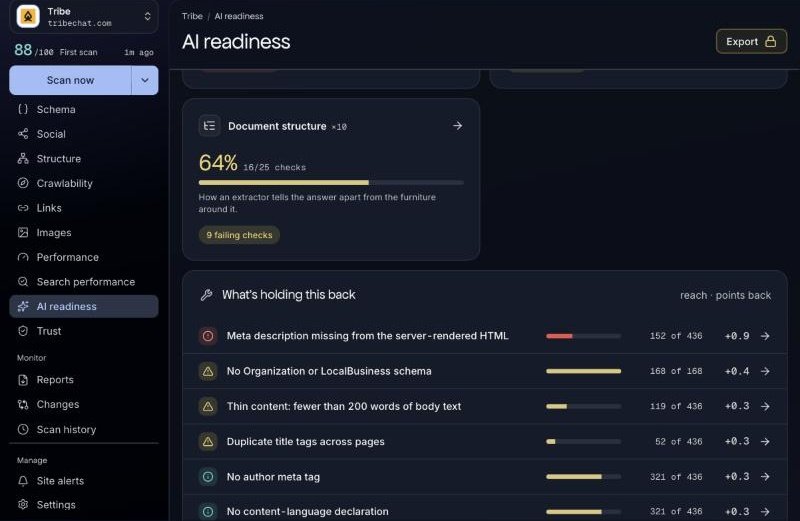
Other findings worth a look: 279 titles that are too long, 152 missing meta descriptions, 126 thin pages under 200 words, no Organization schema on 168 of 168 pages checked, and no llms-full.txt file (we do have an llms.txt).
The AI bot table matched our robots.txt
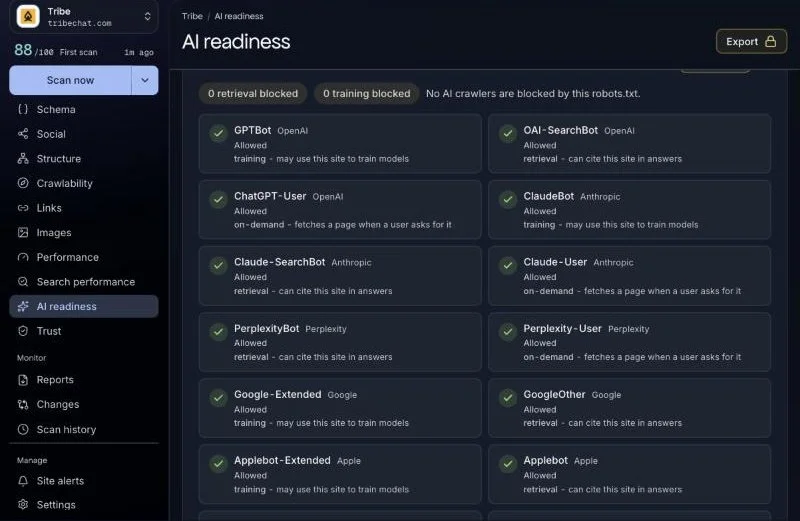
PixyScan lists 18 AI bots and whether each one is allowed or blocked: GPTBot, OAI-SearchBot, ChatGPT-User, ClaudeBot, Claude-SearchBot, Claude-User, PerplexityBot, Perplexity-User, Google-Extended, GoogleOther, Applebot-Extended, Applebot, CCBot, Bytespider, Amazonbot, Meta-ExternalAgent, cohere-ai and MistralAI-User.
It showed all 18 as allowed, with 0 blocked for retrieval and 0 for training. We compared that with our real tribechat.com robots.txt, where every AI bot sits in the same group as the default rule and only system paths like /config, /search and /api are blocked. The table was right.
Where it got it wrong: 2 of the top 3 issues were false alarms
This is the part worth reading before you pay for anything.
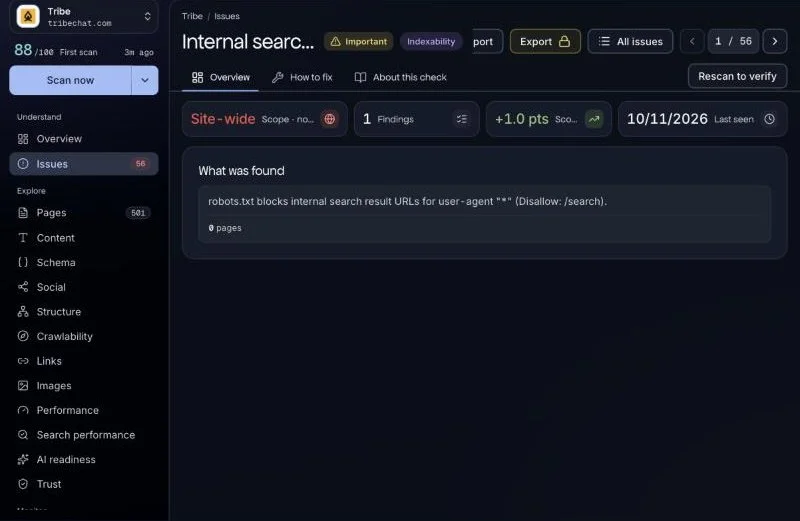
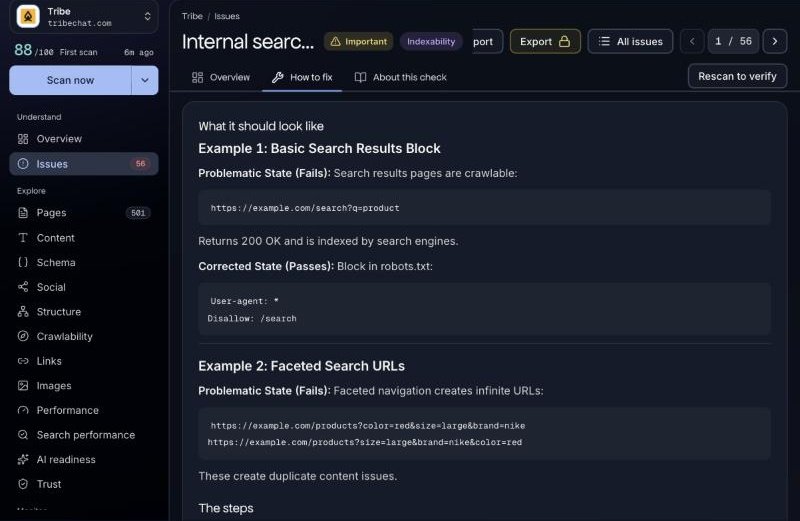
The #1 issue on its list was “Internal search pages left crawlable”. Under “What was found”, it says robots.txt blocks internal search result URLs for user-agent “*” with the rule Disallow: /search. Its own “How to fix” page then lists that exact rule as the corrected state, and marks it as passing. In other words, the top fix PixyScan gave us is something we already do.
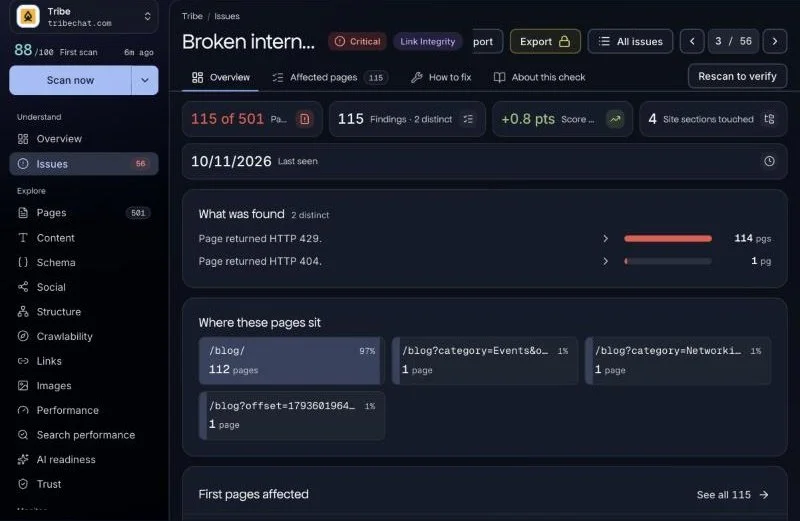
The second miss was “Broken internal links and pages”, flagged Critical on 115 of 501 pages. 114 of those were HTTP 429 (Too Many Requests), which means Squarespace rate-limited the crawler. We opened one of the flagged posts afterward and it loaded fine. Only 1 was a real 404, a post URL we should fix.
PixyScan has a “Rate limit healing” setting that is off by default. If your host throttles crawlers, turn it on before your first scan or you will burn time chasing errors that are not real.
Credits and limits
The scan used 321 of our 500 free credits. Only pages that answered with a 200 were charged, so the 429s cost nothing. That left 179 credits, which is not enough for a second full blog scan this month. We skipped our planned fix-and-rescan step for that reason, so we cannot tell you whether applying its top fix moves the score.
Verdict
PixyScan is a quick free scan that is handy for spotting missing meta descriptions and AI-readiness gaps, and the 18-bot table was accurate on our site. But 2 of its top 3 issues on tribechat.com were false alarms, so check each one before you act on it. If you run a Squarespace site, turn on rate limit healing first.
